Fake Blue Screen of Death

If you call a support person, give them this info:
Stop code: CRITICAL PROCESS DIED

Screen Settings
Screen Settings
Prank Screen
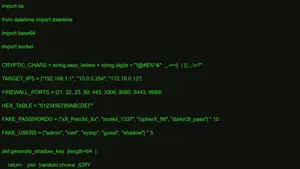

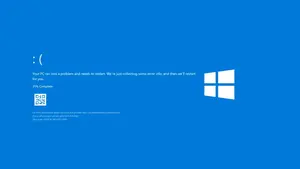
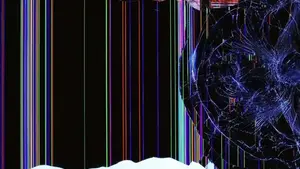
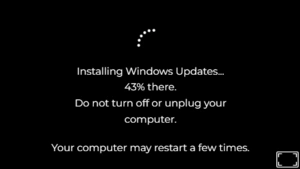


The Fake Blue Screen Of Death prank delivers an instant way to simulate that dreaded Windows crash without any real trouble. So many people search for a Fake BSOD Generator because it turns a scary error screen into harmless fun for friends or content. Now you can activate a full screen version that looks exactly like the real thing complete with error codes and a sad face. Plus it stays safe every single time.
What Is the Fake Blue Screen of Death?
Basically the Fake Blue Screen of Death copies the exact look of a real Windows system crash so it feels authentic at first glance. After checking several versions I noticed how the bright blue background error messages and restart prompts create that immediate panic reaction people expect. So the tool simply displays this visual without touching any files or settings on your device. Honestly it works great for quick surprises because the layout matches what Windows users see during actual failures.
How the Fake BSOD Generator Works
The Fake BSOD Generator works by loading a realistic simulation that takes over your screen with classic Windows error details. So you pick options like version or duration then click to activate full screen mode instantly. What surprised me was how quickly it mimics the progress bar and QR code that make it convincing.
- 01 Steps: After leading this page, you will see blue screen which you can click to full screen.
- 02 Steps: But before make it full screen, we do have some additional features like background color change, different blue screen error type even you can also change your custom text error as well.
- 03 Steps: Now you need to also know how you can exit the full screen, So you can just press “Esc” button or right-click and choose exit.
Creative Ways to Use the Fake Blue Screen of Death
Creative ways to use the Fake Blue Screen of Death keep expanding because it fits so many scenarios from jokes to lessons. So whether you want to lighten an office meeting or add drama to a presentation the tool delivers believable results every time.
Office and Work Pranks
Office and work pranks become much simpler with a well timed Fake BSOD that catches colleagues off guard. So you set it to appear during a break and watch the brief panic turn into laughs once they realize the truth. Honestly the realistic error codes make it effective yet you stay in complete control the whole time.
Tech Education and Demonstrations
Tech education and demonstrations turn more effective with a Fake BSOD that shows error screens safely for students or new staff. So trainers can explain troubleshooting steps while the simulation runs in the background. What surprised me was how much faster people learn when they see the exact layout up close. Now the tool makes complex concepts feel immediate and real.
Creating a Realistic Fake BSOD for Pranks
Creating a realistic Fake BSOD for pranks starts with matching the exact colors and messages that Windows actually uses. So focus on details like the sad face or specific stop codes to heighten the effect without overdoing it.
Customizing Error Messages and Codes
Customizing error messages and codes lets you tweak the Fake BSOD until it matches common Windows failures perfectly. So you can change the stop code or add familiar troubleshooting text that sells the illusion.
Timing and Display Duration
Timing and display duration matter a lot when you want the Fake BSOD to build tension without dragging on too long. So set it for a few minutes if you plan to reveal the joke quickly. But longer settings work great for testing patience in a controlled way. From checking this regularly the pattern I noticed is how the right length maximizes the fun without causing unnecessary stress.
Top Features of Fake BSOD Generators
Top features of Fake BSOD Generators focus on making the experience simple and effective for anyone who tries it. So the combination of quick activation and realistic visuals stands out compared to complicated alternatives.
Easy-to-Use Interface
Easy to use interface means you can launch the Fake BSOD without reading manuals or dealing with confusing menus. So everything stays straightforward with clear buttons that guide you from start to finish.
Customization Options
Customization options give you control over how the Fake BSOD appears so you match it to specific needs or audiences. Now you adjust duration error text or progress levels in just a few clicks.
Compatibility with Windows Versions
Compatibility with Windows versions allows the Fake BSOD to look correct whether you run older or newer operating systems. So the simulation adapts without causing conflicts or performance issues on your device.
Safety & Best Practices
Safety and best practices remind everyone that the Fake BSOD stays harmless when used responsibly among friends or for content. So always reveal the joke soon enough to prevent real worry or confusion. Honestly the key is choosing appropriate moments that do not disrupt important tasks. Plus combining it with clear communication keeps the whole activity positive and enjoyable for all.
Friendly Asked Question
No it can not damage your computer because the simulation only displays visuals and never modifies system files.
Customize error codes and layout details to match common Windows messages for better authenticity.
No it will not restart your PC since the screen is purely visual and requires manual exit.
Press escape or use alt tab to close the screen quickly and return to normal view.
Yes it is safe because the tool creates no actual changes or risks to your device.