Android Fake Update

Installing system update
0 %
Screen Settings
Screen Settings
Prank Screen
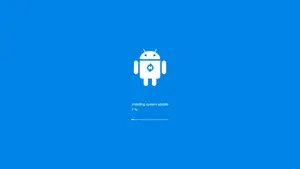
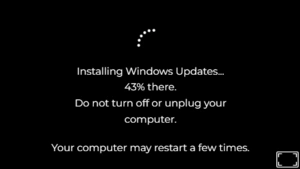


Android Fake Update screen and Fake Update Screen have gained huge popularity for pranks and content creation lately. You can turn any phone into what looks like a real system update in seconds. So I have tested this and the animations feel authentic enough to fool most people. Now the progress bar moves smoothly while error messages pop up at the right moments. Basically it helps you capture screenshots or shoot quick videos without actual risk. Plus customization makes each prank unique and more believable every time.
What is an Android Fake Update?
An Android Fake Update is simply a web tool that displays a convincing update screen on any device. It includes realistic animations along with progress indicators and occasional error messages that copy official Android behavior. So the whole thing feels genuine because you can adjust timing and visuals to match different versions. I have noticed how it works in any browser without needing downloads or apps which keeps everything straightforward. Now this approach helps avoid real risks while still delivering that authentic look. Honestly the fake update screen stands out for its simplicity and how well it mimics actual device updates.
Easy way to use Fake Android update
Using the Fake Update Screen for pranks starts with opening the page and selecting basic settings first. You pick an Android version then adjust the progress speed to match what looks normal. So I have found that switching to full screen mode sells the prank immediately to anyone watching.
- 01 Steps: After visit this page you can simply notice on top their will be Android fake update setup box with live review.
- 02 Steps: So you just need to customize your own Android version, or you can just select default setting.
- 03 Steps: Now you can just click on full screen button, and it will show on your full display. To exit, you can use back button or “Esc”.
Customizing Your Fake Update Screen
Customizing your Fake Update Screen lets you change background colors to match older or newer Android styles easily. You also select specific user interfaces and set exact update times plus percentages for better realism. So the options make every instance feel personal and convincing to the viewer. I have tested several variations and the difference in believability is noticeable right away.
Fun Ways to Play Pranks with the Fake Update
Fun ways to play pranks with the Fake Update include showing your phone to friends during casual moments and watching their faces. You can surprise colleagues at the office or even test reactions from family members at home. So the light hearted nature keeps everything harmless while creating memorable laughs. I have seen how a quick setup leads to genuine surprise without any lasting issues.
Using the Fake Update for Content Creation
Using the Fake Update for content creation gives influencers and video makers a reliable way to demonstrate update screens without real devices. You film realistic progress bars and messages that fit perfectly into tech tutorials or comedy sketches. So this approach saves time and avoids any risk to your actual phone during shoots. I have noticed creators prefer it for Instagram reels and YouTube shorts because of the control it provides.
Educational and Awareness Uses
Educational and awareness uses of this tool include showing people what fake update scams might look like in real life. You demonstrate the screen to highlight suspicious behaviors and help others recognize potential tricks online. So it serves as a simple teaching aid that builds caution without complicated explanations. I have found it effective for quick sessions because the visuals stick in memory better than words alone.
What You Can Do with Fake Android Update
As we all know, Android OS is now very important in many aspects of the tech world. A tool that fakes an Android update can be useful for various purposes, such as teaching someone about Android or creating content. As well as turn your free time into a fun moment by playing pranks on friends with this tool.

Friendly Asked Question
Yes it works across most devices through any modern browser. No installation is required and it stays completely safe.
It looks very convincing with smooth progress and proper messages. The details match real Android updates closely.
Yes it is totally harmless and does not affect the device. You control everything and exit instantly.
Simply adjust the time and percentage sliders on the page. Changes apply immediately in full screen mode.
Yes it works great for videos and social posts. The realistic look adds quality without real updates.